
Ready to power success across your organization?
Jostle News
Is critical news getting ignored in emails and newsletters?
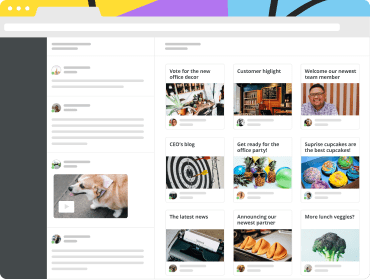
News gets all your company communications in one place where it’s easy to consume and track.

Stop internal emailing
Is your content lost in overwhelming inboxes?
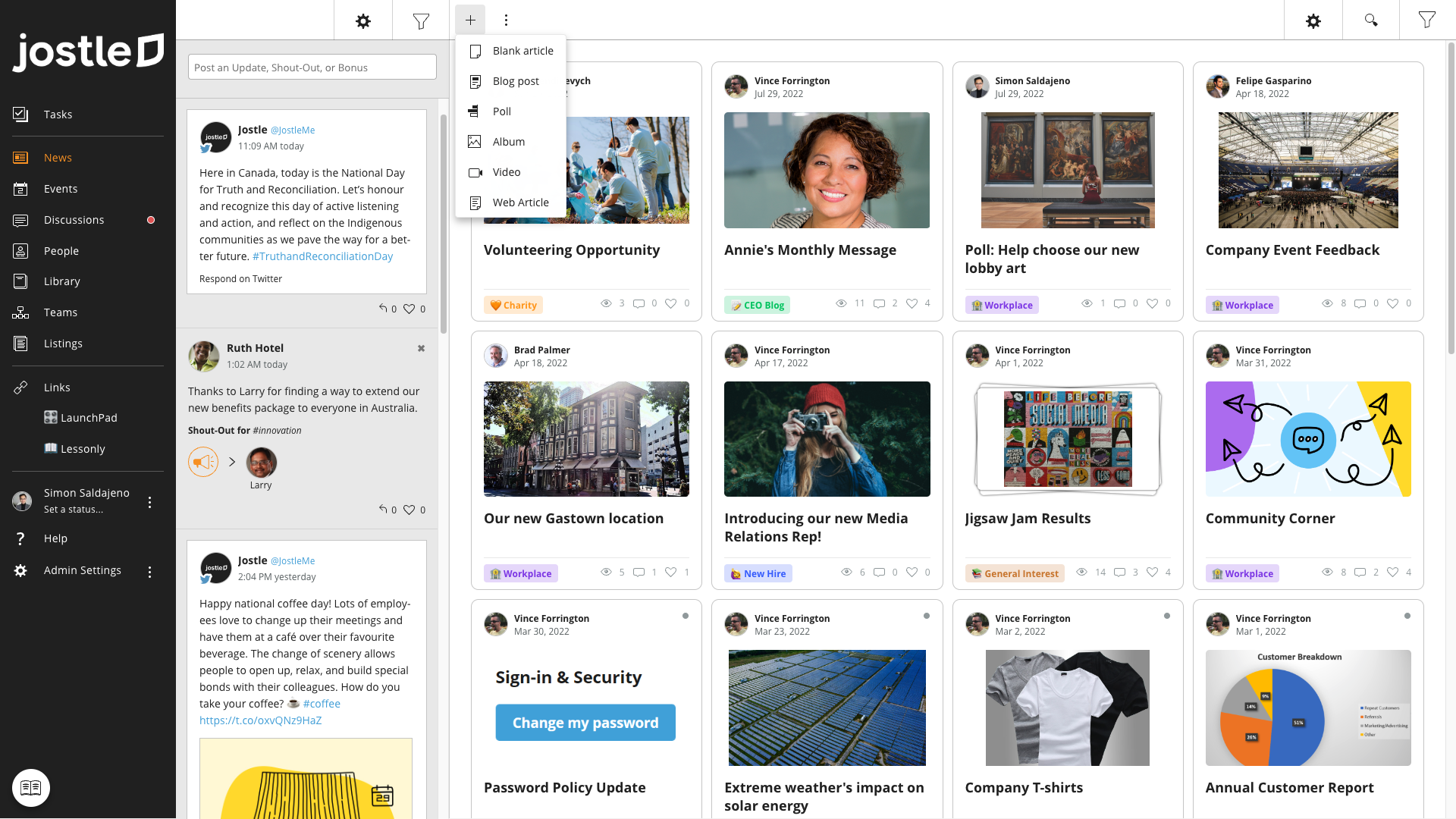
News eliminates internal emails and shares updates securely and where people already are.

Stop emailing newsetters
Stop investing time composing newsletters, only to wonder if anyone opened the file.
News lets you share updates fast, so information is never stale or stuck behind a download.
“We’re telling people not to click on links, and at the same time we're running emails asking them to do exactly that. I don’t know what the open rate was, but it had to be terrible.”
Joe Sikes, Communications Manager, Canoochee EMC
Jostle gets your news read
A single place for news
Having all your news in one place matters. An employee arrives to see his Monday project update and right next to it is a corporate announcement that might have otherwise been overlooked.
Everything is relevant
Each item is targeted to its audience, for example everyone working at a location. Only those working at that location see its cafeteria menu.

No notification overwhelm
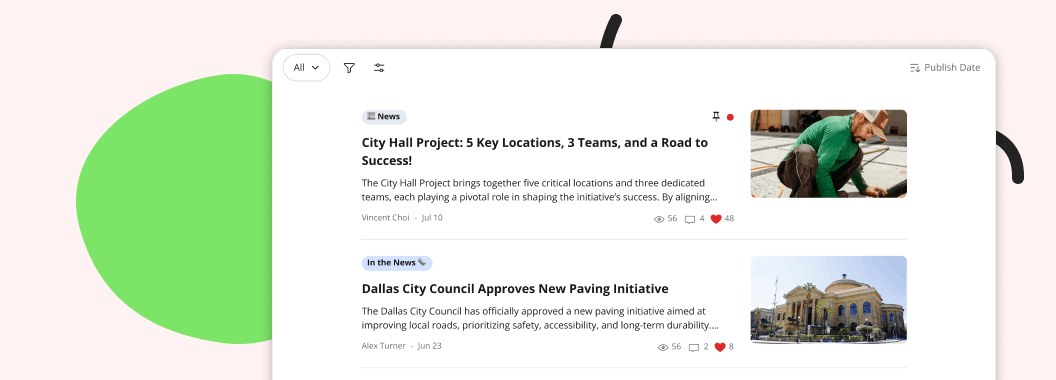
Red Dots guide users to what’s new since their last visit. No need to spam people with email and phone notifications.

Easy to manage
Create rich content
A simple block editor for creating polls, embedding live forms, republishing your company blog posts, and so much more.
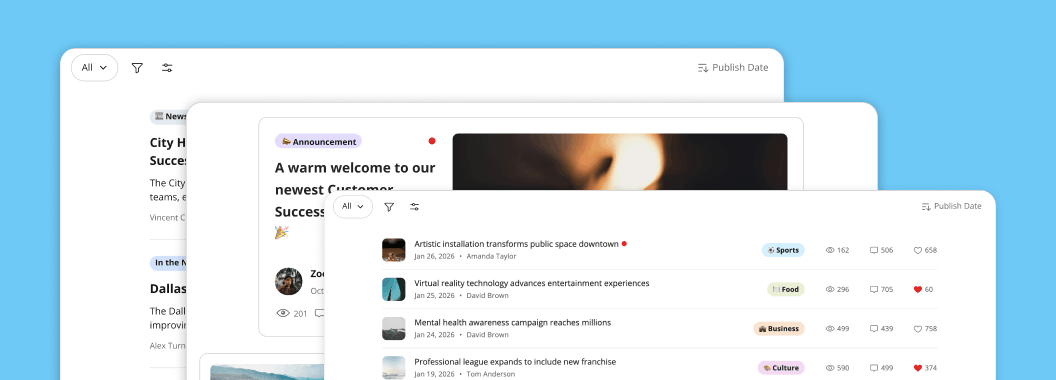
Choose your format
Users can choose their preferred layout: gallery, feed, or list.
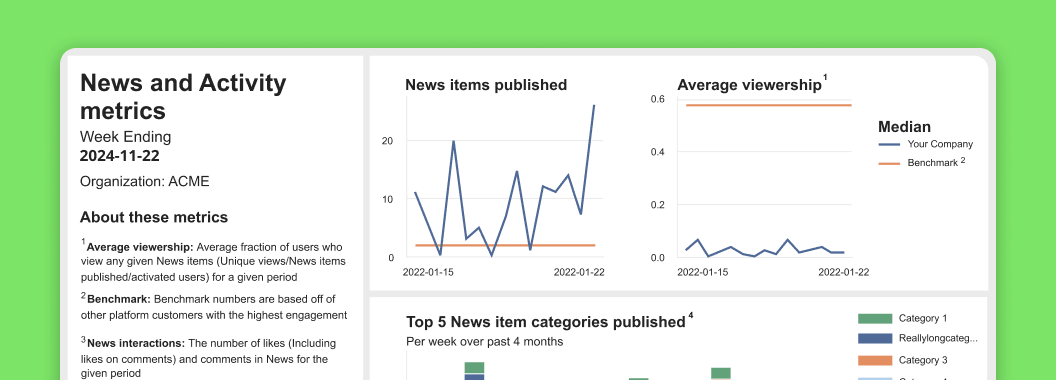
Know who reads what
Built in analytics track who reads and likes what, based on individuals, departments, or locations.
Multichannel communications

JostleTV
Automatically stream your news to your lunchroom or factory floor.

Email Digest
A branded email delivers enticing AI summaries of your recent news to those stuck in email.

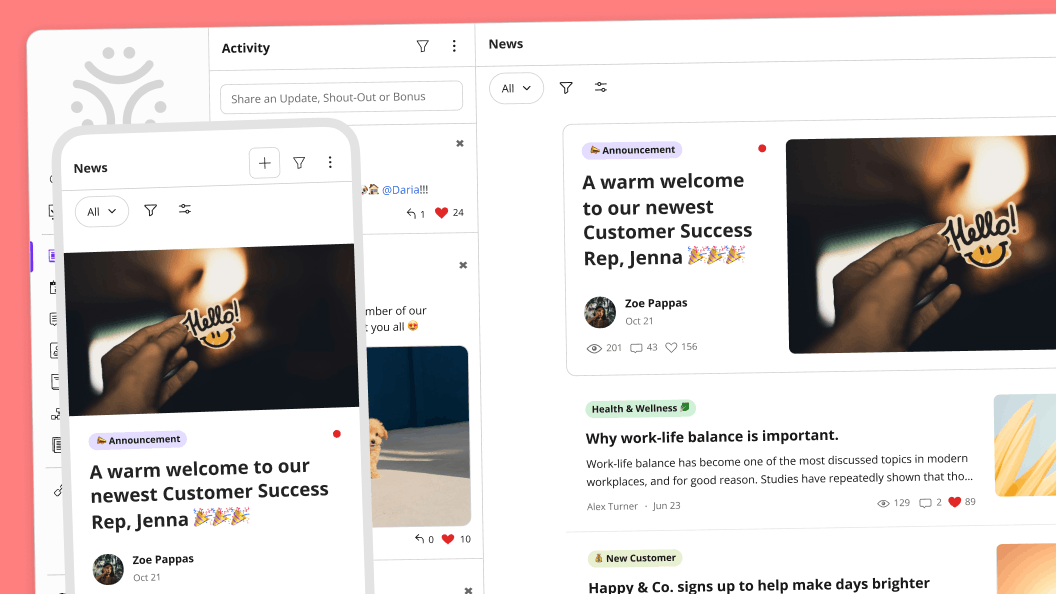
Designed for mobile
Push news out to those in the field, or publish a project update right from your phone.
“Instead of relying on emails that get buried, employees can quickly see company news, project updates, employee recognition, events, and important announcements.”
Anonymous G2 reviewer, the construction industry
Key News features

Sign Off
Gets everyone to read an item and leaves behind a permanent record that they did.

Notify
Ensure critical news gets read quickly. Triggers a must-read email and phone notification.

Featured Banner
Promotes your News item in a banner and at the top the email Digest.

Pinning
Surfaces old content for new employees, such as a welcome-to-the-company article.

Content Republishing
Web Articles republishes your company blog, or shares industry news, in a click with attribution.

Social Sharing
Enables employees to share company blog content into their social networks.

Publishing Governance
Sets Reporter Groups who can publish to News and governs their audience and feature set.

Ghost Writing
Allows News Editors to publish a News item on behalf of another person.

Block Editor
Makes it easy to create rich content, including embedding videos, forms, and PDF’s.

Header Images
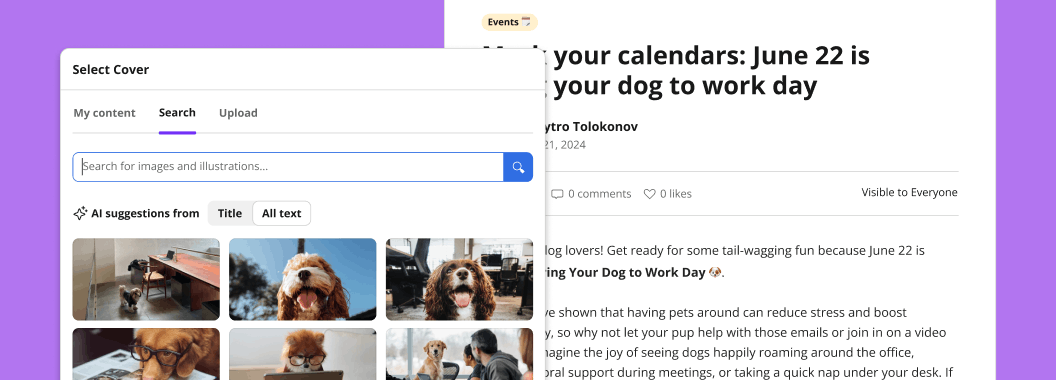
JostleAI suggests professional photographs (not AI-generated slop) for your News item.

Polls
Creates polls that can be single or multiple choice, anonymous or identified.

Scheduling
Publishes an item at a scheduled time.

Digest Newsletter
Autocomposes an email digest that is composed per person, based on what they have read.

JostleTV
Automatically streams key content from News items targeted to specific TVs.

Item Level Targeting
Allows you to dial up exactly the right audience for each News item. Syncs dynamic groups.

Saved Audiences
List Presets make it easy to publish to a specific audience.

Categories
Organizes News and makes it easy for users to filter on a topic.

Smart Lists
Individual or org-wide smart lists make it easy to view by Category, Author, and more.

Optional Commenting
Allow for users to comment on a particular News item.

Search
Finds everything a user can see in News.
“It ensures that everyone stays connected and gets notifications about company news and events, regardless of where they are.”
Anonymous G2 review, architecture & planning sector
Why Jostle is better than an intranet
Intranets disperse news across siloed sites, so it's hard to find, particularly on a phone. To get your content read, you need to push notifications into everyone’s inbox every time you publish. Those inboxes are overwhelmed and your content gets missed.
Jostle organizes news into a single place where each item is targeted so that users only see what’s relevant to them.
Red Dots get users to new content, without needing to constantly impose email notifications on your colleagues. Content is easy to find, including on your phone.
| Intranets | Jostle |
|---|---|
| Publishes news across sites | Publishes news to a single place |
| Targets content at the site level | Targets content at the item level |
| News mixes with evergreen content | Dedicated Library for evergreen content |
| Can’t tell if pages are old or new | News items have a publish date |
| Manual archiving is required | Archiving is not required |
| Can’t tell if polls are expired | Expired polls are clear |
| Aggressive notification required for new content | Email and phone notifications are not required |
“Jostle has played a vital role in improving communication across Pure. We now have a central go-to place for all staff to access at any time, even on the go.”
Katherine Bell, Pure Resourcing Solutions UK
FAQs
What are the AI functions in News?
JostleAI suggests cover images based on the content of your draft article. JostleAI also generates enticing summaries that are used in the email Digest and JostleTV.
Does JostleAI help me write my News item?
No. Simply use your preferred writing tools and then paste your content over into your draft News item.
Can I publish to multiple languages?
Yes. Via Categories is one way. Book a call to learn more.
How does image licensing work?
The images suggested by JostleAI are professional photos that can be uploaded to become the Tile Image or your News item. These arrive licensed for purpose, free of charge.
Do I need to delete old news?
No. News works as a timeline. Old news simply moves out of view, but is still available via search as part of your “cultural history”. Archiving is available, but best practice is to only archive time-sensitive content, such as last week's cafeteria menu.
To quote an anonymous G2 reviewer from the banking industry, “We post company articles and make announcements through Jostle. And we always have the history to look back on...unlike emails that just get lost eventually.”
How are the groups I publish to managed?
Jostle News sets visibility per item, so each person only sees what’s relevant to them. You can publish an item to a team, department, location, employee type, and/or a list of individuals.
How are group permissions kept up to date?
Throughout Jostle, permissions can be tied to dynamic groups (departments, locations, etc) that sync automatically with your other systems.